
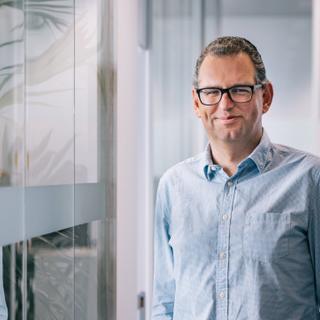
The Centre for Cybersecurity Belgium and DNS Belgium have jointly developed DNS guidelines to improve the security of domain names and email infrastructure. Specifically, these involve measures such as SPF, DKIM and DMARC, which help to prevent email fraud and protect domain names from misuse. Kristof Tuyteleers, cybersecurity expert at DNS Belgium, explains what these guidelines do.

Why are DNS Belgium and the CCB now introducing these DNS guidelines?
The reason for joining forces with the CCB was the research report on the misuse of expired domain names by ethical hacker Inti De Ceukelaire. This led to an initial advisory document aimed at local authorities in Belgium. For other guidelines, we focused primarily on the role of DNS in securing email infrastructure.
Some time ago, we highlighted how cyber-secure Belgian government websites are. The outcome was not entirely positive. What are the minimum requirements for a municipal website to offer sufficient cyber security to citizens?
Here you can easily use a checklist. In my opinion, every municipal website must at least meet these basic requirements:
Provide an encrypted internet connection via “https”.
To do this, simply purchase an SSL or TLS certificate.
Ensure a strictly secured login procedure for website management.
Strong authentication means that you provide at least two-step verification for all people who manage your website and associated data.
Perform regular software updates.
This will prevent your website from running on outdated CMS systems. Older software versions are always more susceptible to vulnerabilities or security breaches.
Limit the number of access ports; after all, every entry or exit point is a potential route of attack.
So do not create any unnecessary open ports or services.
Establish a clear policy on data security.
Proper handling of personal data is the absolute minimum, as required by law under the GDPR.
Monitor your website and protect it against DDOS attacks.
Monitor your network traffic to detect suspicious patterns and volumetric attacks. Use a WAF (Web Application Firewall), either as part of a larger DDOS protection service or on its own.
If necessary, increase network capacity and use load balancing. This allows you to spread internet traffic across multiple servers. No single solution is 100% effective, so make sure you have a security strategy that consists of multiple layers.
Make backups and stay ahead of incidents.
It is essential to make regular backups and to have an action plan ready for when an incident occurs.
Set up security headers.
Consider, for example, a Content Security Policy (CSP), HSTS and X-Frame-Options.
'Just because the URL contains ‘https’ does not mean that the website is sufficiently secure.'
What are the potential consequences if governments fail to take these measures?
The consequences could be serious. There is a higher risk of data leaks, exposing citizens to the risk of identity theft. Inadequate security also makes it easier to create fraudulent copies of municipal websites and mislead citizens in phishing attacks. The risk of DDOS or ransomware attacks is also greater, which could disrupt municipal services.
The government must prevent citizens from losing confidence in digital government services, and for that reason alone, it must provide the necessary security. Municipalities that handle cyber security poorly also receive negative publicity, which damages their reputation.
As an internet user, can you see which sites or domains are secure and which are not?
Unfortunately, this is difficult to determine as a surfer. The security level of the underlying configuration of websites and emails is not visible to end users. This means you can do little to assess the security level yourself.
For example, just because the URL contains “https” does not mean that the website is sufficiently secure. Many security measures are not visible and are located in the DNS configuration. If in doubt, it is wise not to enter any sensitive information and to contact the website administrator.


With this article, we support the United Nations Sustainable Development Goals.